
NVIDIA Inception Partner

CAD/CAM Intelligence,
Connected by AI

13개 CAM 플랫폼을 하나의 AI로 연결합니다. 4-Way Hybrid RAG, 217K+ 온톨로지 노드, 97.2% 정확도. 환각 제로.

13
CAM Platforms
97.2%
Accuracy
217K+
Ontology Nodes
0
CAM Platforms
Connected & Active
0%
Accuracy
Zero Hallucinations
0
MFG Rules
Ontology-Driven
0
Graph Nodes
Neo4j Knowledge Base
Trusted by Engineers at Leading Manufacturers

The Operating System for Manufacturing Intelligence

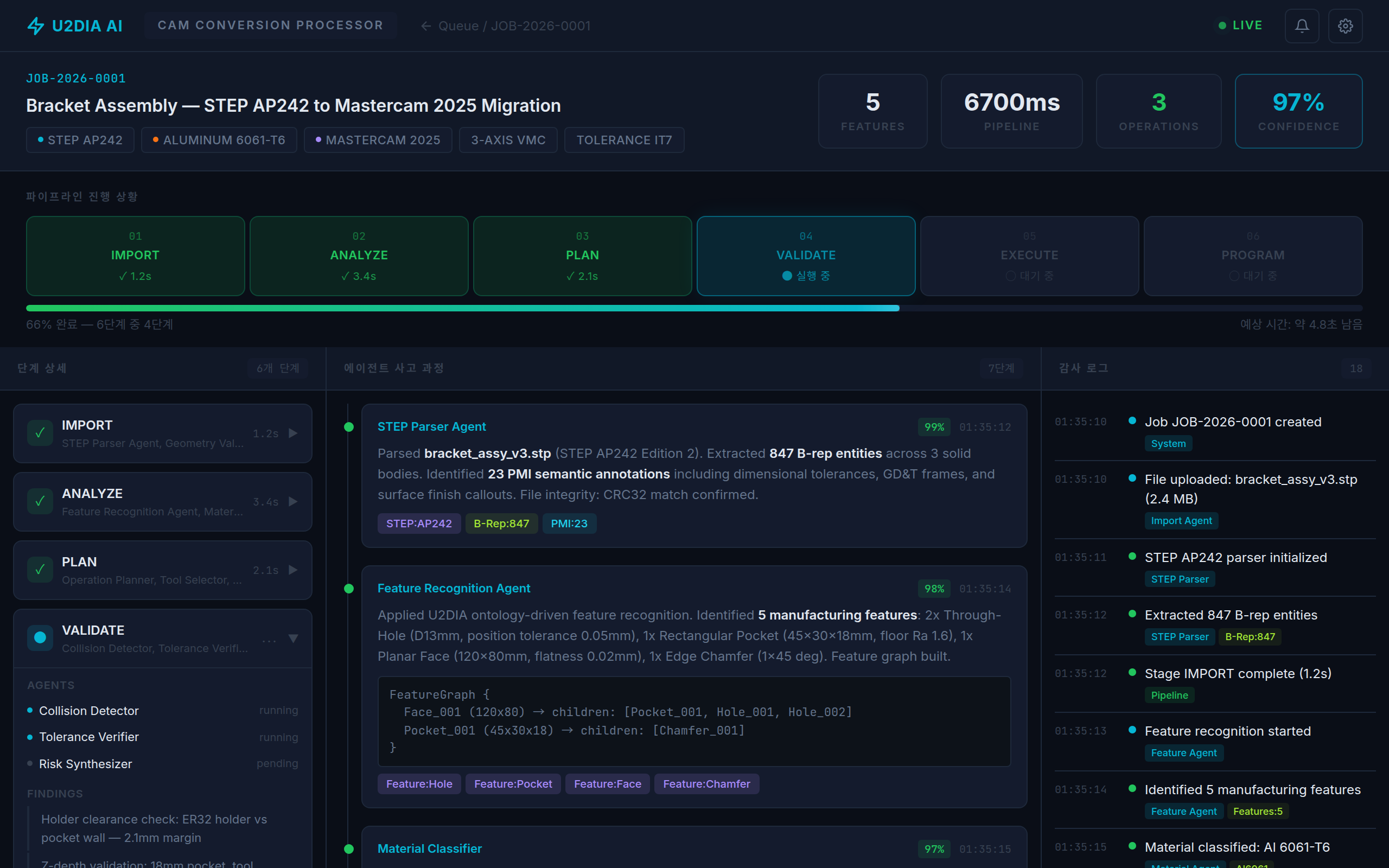
Conversion Engine

CAD/CAM Conversion Processor

Real-time CAD analysis, PMI extraction, and cross-platform CAM conversion with zero hallucination AI. STEP AP242 to 36 formats.

Conversion Processor
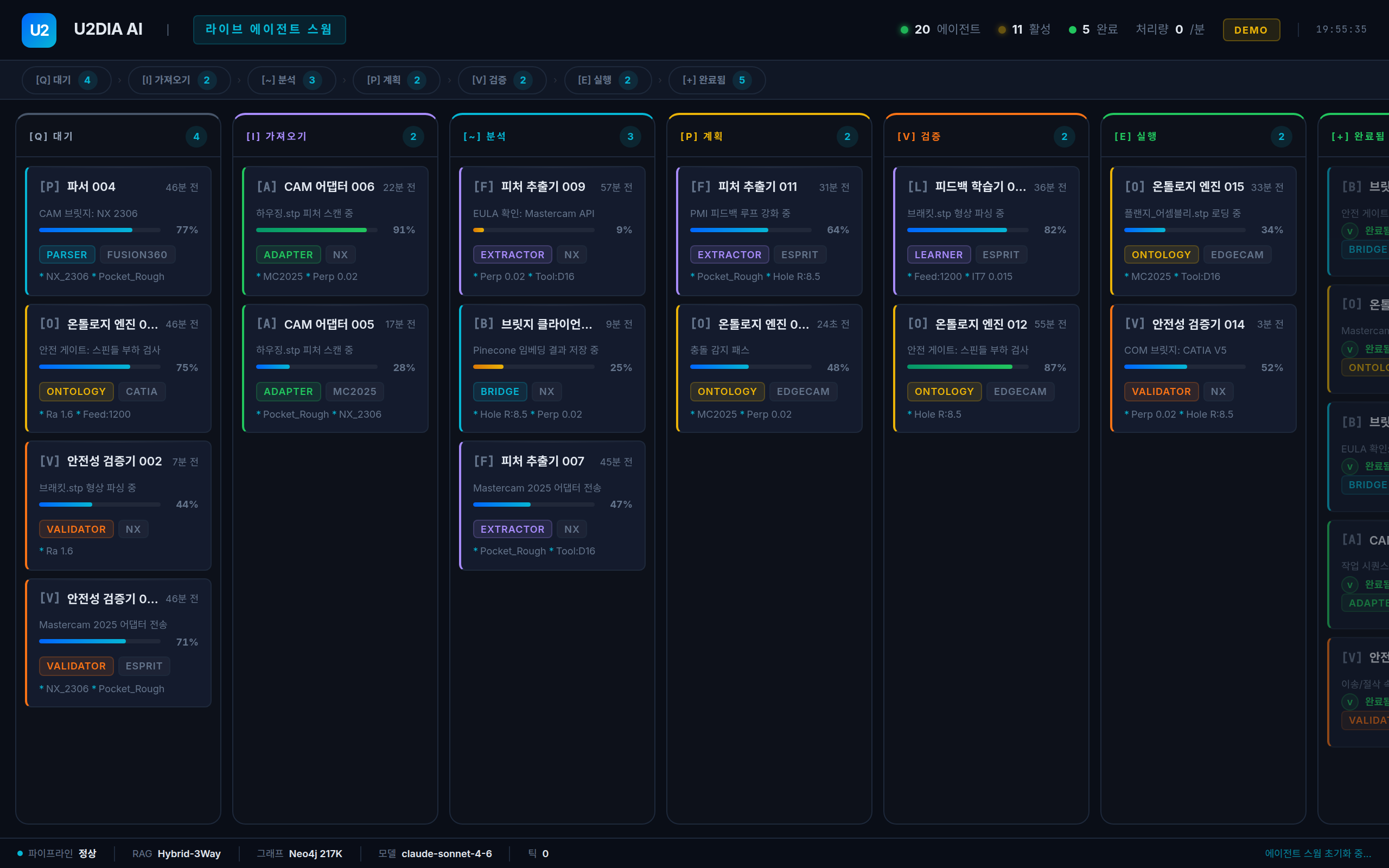
Multi-Agent AI

Live Agent Swarm

28 concurrent AI agents parsing, extracting, mapping, and validating across your entire file pipeline with Kanban-managed observability.

Agent Swarm
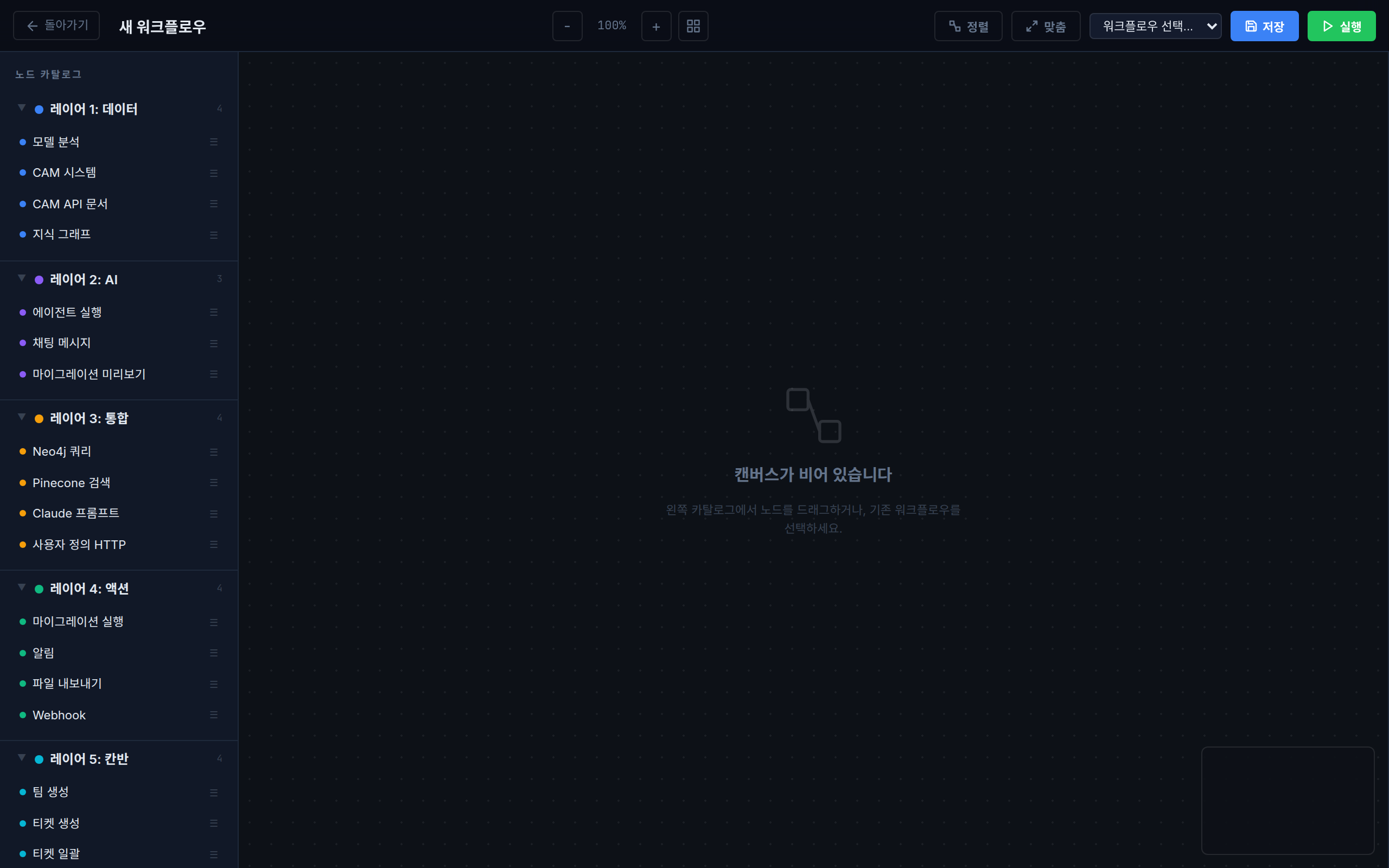
Pipeline Builder

Workflow Canvas

Visual pipeline builder for manufacturing workflows. Drag-and-drop nodes, auto-layout, and real-time execution monitoring.

Workflow Canvas
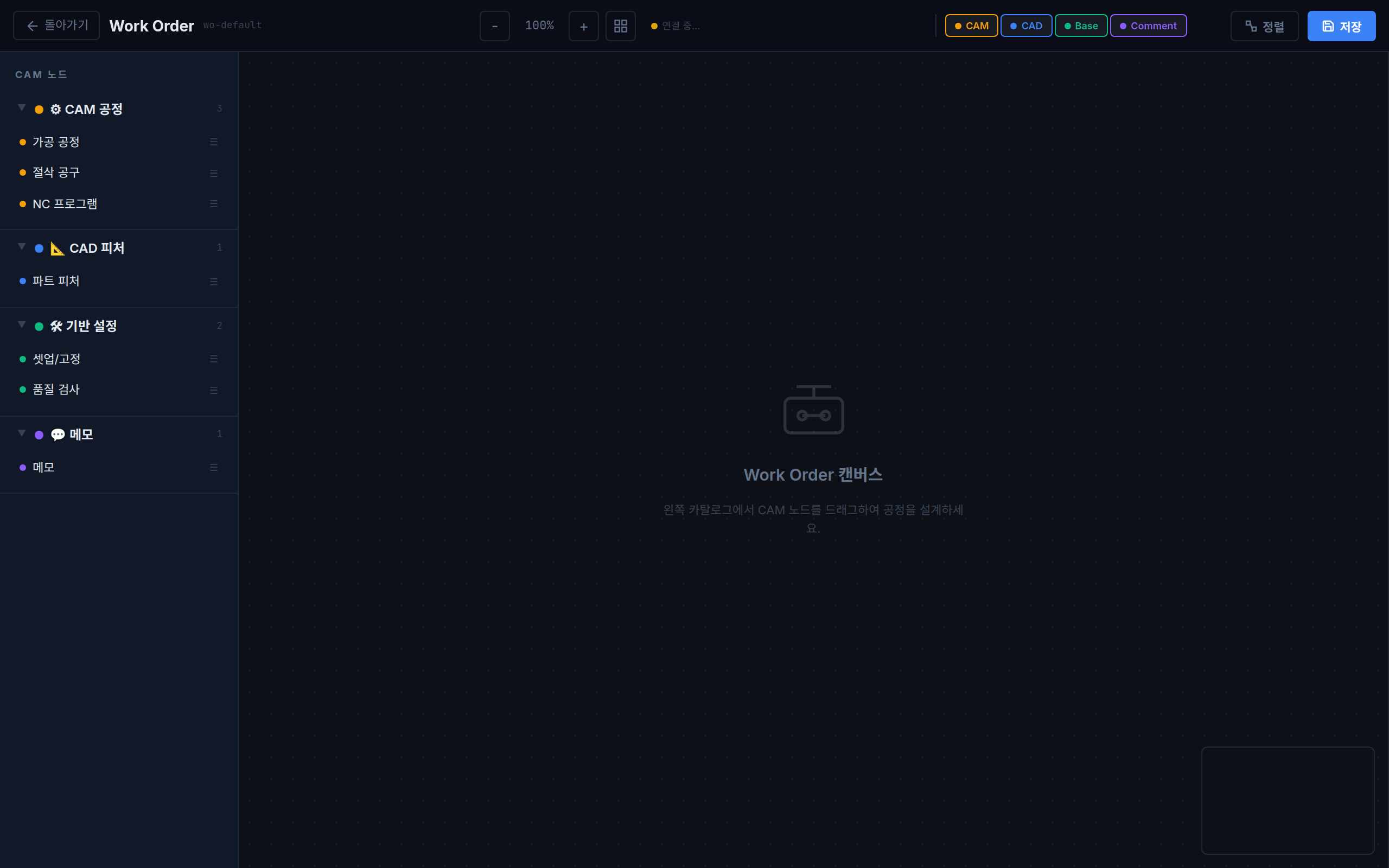
Process Design

Work Order Canvas

Design CAM process plans visually. Drag machining nodes from the catalog, connect operations, and auto-generate G-code.

Work Order Canvas

What U2DIA AI Does

4-Way Hybrid RAG
Pinecone vector search + Neo4j graph traversal + SQLite FTS5 + ontology inference. Four retrieval channels fused for F1=0.92 accuracy with zero hallucinations.
Cross-Platform PMI
GD&T, tolerances, surface roughness, and datums automatically translated across 13 CAM platforms. Semantic equivalence guaranteed.
217K+ Ontology Graph
Real-time inference engine over 217,000 manufacturing knowledge nodes in Neo4j. Features, operations, tools, materials — all queryable in <200ms.
Multi-Agent Pipeline
28 concurrent AI agents — parsers, extractors, mappers, validators, optimizers — processing files in parallel across a Kanban-managed pipeline with live observability.
RAG Benchmark Suite
Built-in benchmark dashboard measuring answer accuracy, citation precision, hallucination rate, and response latency. Compare against competitors in real time.
Air-Gap Deployment
11MB binary, 0.5MB idle memory, pure Go with zero external dependencies. On-premise with full air-gap support. PIPA/GDPR compliant.
97.2%
RAG accuracy (F1 score) — across 196 manufacturing rules
0%
Hallucination rate — 3-gate verification pipeline
13
CAM platforms connected — NX, Mastercam, ESPRIT, CATIA...
<200ms
Query latency (P95) — across 217K ontology nodes
28
Concurrent AI agents — real-time pipeline processing
7
Languages supported — KO EN JA DE TH VI ZH

Full-Stack Observability

Real-time dashboards for every layer of your manufacturing intelligence pipeline

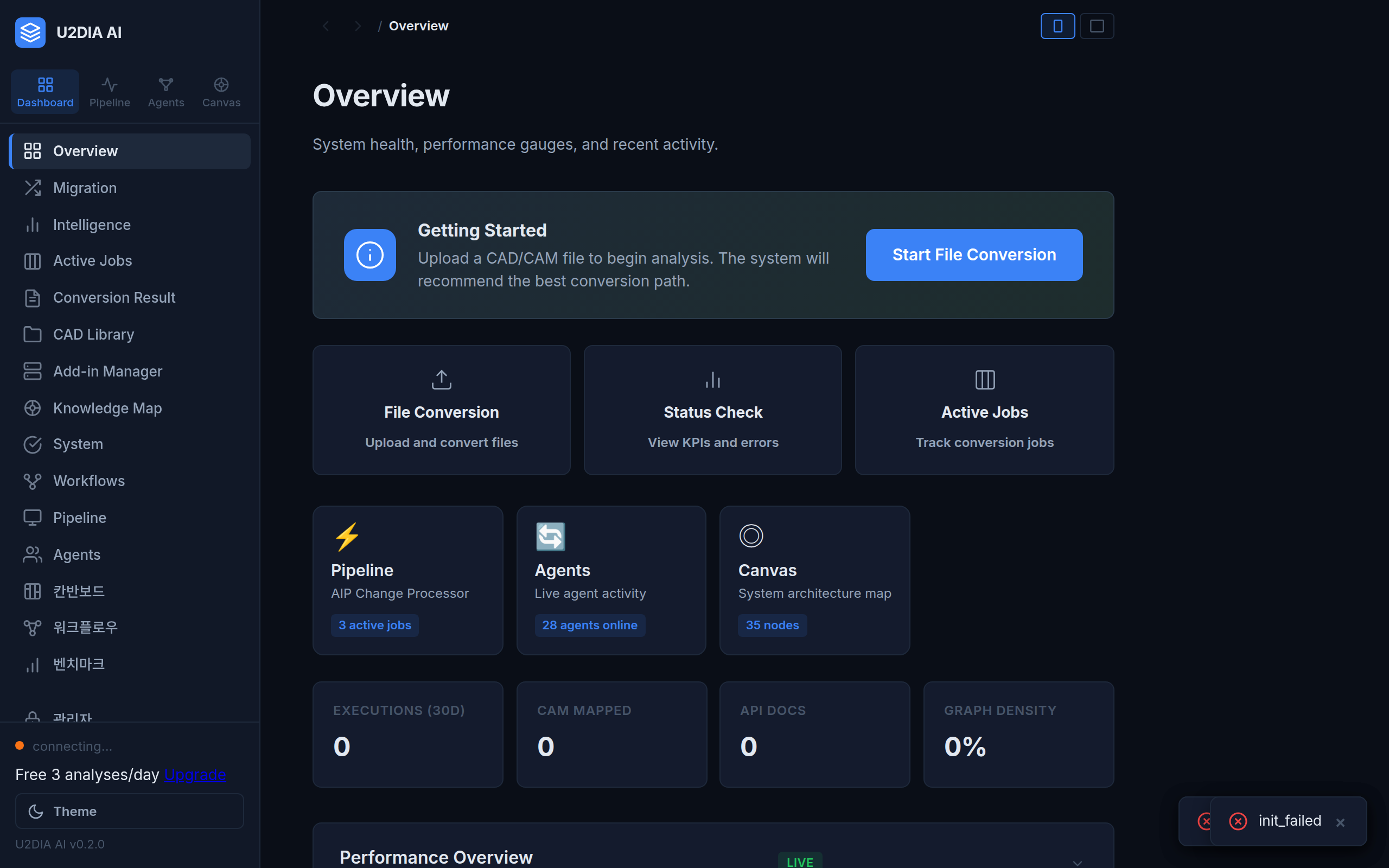
Overview Dashboard

Command Center

System health, KPIs, conversion gauges, and real-time activity

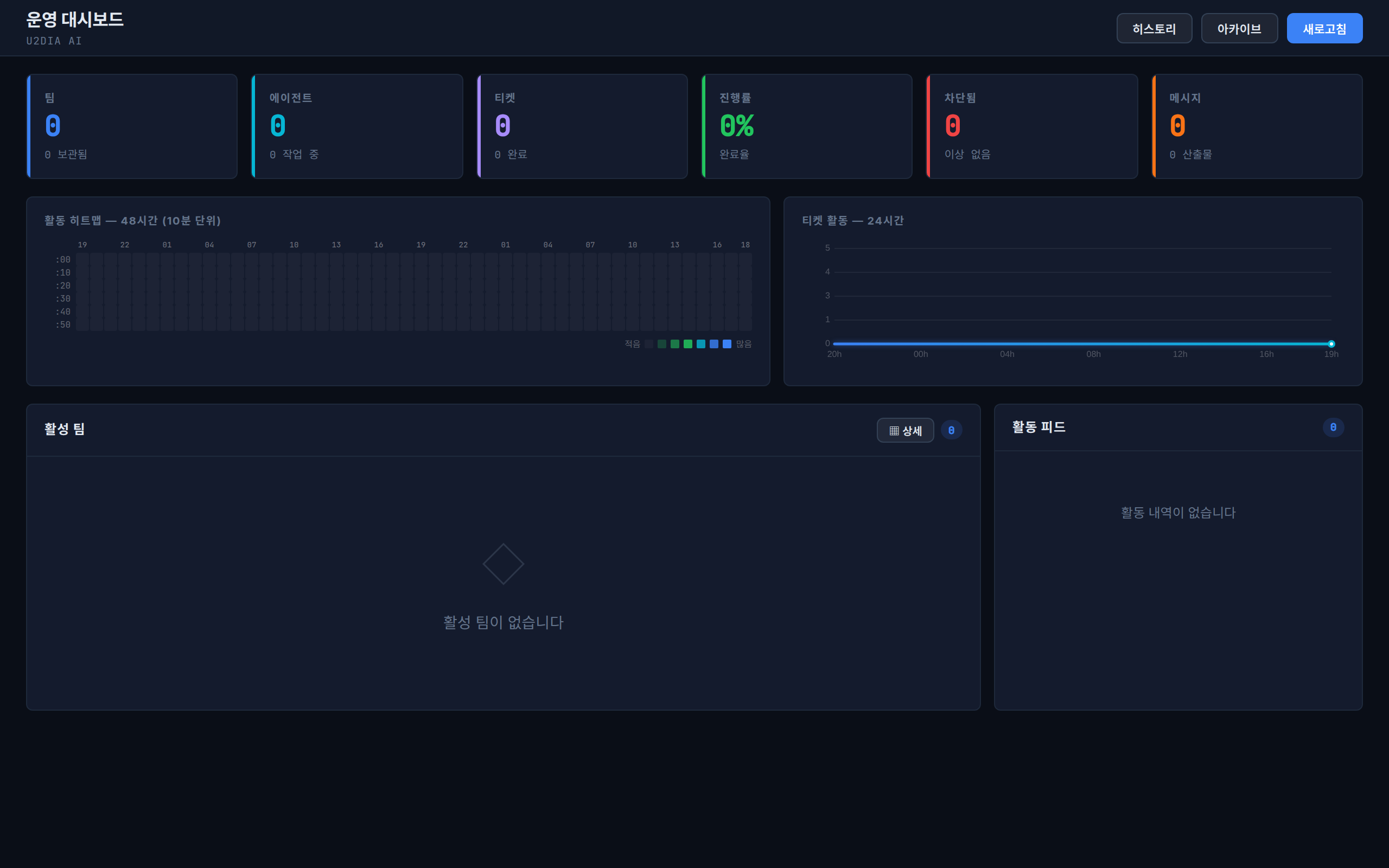
Kanban Dashboard

Mission Control

Team management, ticket activity heatmaps, and 48-hour tracking

RAG Benchmark

RAG Benchmarks

Answer accuracy, citation precision, hallucination rates, competitor comparison

Production-Ready Stack

WPF/WebView2 + Electron Desktop Shell
Frontend
Go REST API + C# Orchestrator + Agent Swarm
Backend
4-Way Hybrid RAG + Ontology Inference Engine
AI Core
Neo4j 217K Nodes + Pinecone Vectors + SQLite FTS5
Data
13 CAM Adapter Protocols + REST/WebSocket Bridge
Integration

제조 AI의 미래, 지금 시작하세요

무료 체험부터 엔터프라이즈 온프레미스까지. 귀사의 규모에 맞는 플랜을 확인하세요.

귀사에 맞는 플랜을 선택하세요

매출 기준 자기신고 모델 (Unity-style). 모든 가격은 VAT 별도입니다.

Free
연매출 1억 미만 / 학생
₩0
forever
  • 1일 5회 PMI 분석
  • 단일 CAM 플랫폼
  • 커뮤니티 지원
  • 비상업적 용도만
Get Started
Individual
연매출 1억+ 개인
₩99K
/month
  • 무제한 PMI 분석
  • 4-Way Hybrid RAG
  • 13 CAM 플랫폼
  • 이메일 지원
Get Started
Business
연매출 10억 미만 법인
₩149K
/seat/month
  • Professional 전체 포함
  • 팀 관리 대시보드
  • SSO 통합
  • SLA: 8시간 응답
  • 감사 로그
Contact Sales
Enterprise
연매출 10억+ 법인
₩199K
/seat/month
  • Business 전체 포함
  • 온프레미스 설치
  • 에어갭 환경 지원
  • 커스텀 어댑터 (2개)
  • SLA: 4시간 응답
  • 연 1회 온사이트 리뷰
  • 무제한 API
Contact Sales
OEM
재배포 / 화이트레이블
Custom
별도 협의
  • 엔진 임베딩 권한
  • 화이트레이블 브랜딩
  • 전용 기술 파트너십
  • 계약 기반 가격
Contact Sales

Revenue-Based Licensing (매출 기준)

Unity 스타일 자기신고 모델입니다. 직전 회계연도 매출 기준으로 적정 티어를 선택하세요.

Revenue ThresholdRequired TierNote
< 1억원Free비상업적 용도만
1억원 ~ 5억원Individual+개인/프리랜서
5억원 ~ 10억원Professional+전문가/소규모 팀
10억원 미만 법인Business+중소기업
10억원+ 법인Enterprise대기업 (연결매출 기준)
Feature Free Individual Pro Business Enterprise
PMI Analyses5/dayUnlimitedUnlimitedUnlimitedUnlimited
CAM Platforms113131313+
4-Way Hybrid RAG-
REST API--60/min60/minUnlimited
On-Premise----
SSO / LDAP---
Custom Adapters----+2
Support SLACommunityEmail24h8h4h
Audit Logs---

FAQ

무료 체험이 가능한가요?
네, Free 티어는 연매출 1억원 미만 개인/학생에게 무료로 제공됩니다. 1일 5회 PMI 분석, 단일 CAM 플랫폼을 지원하며 비상업적 용도에 한합니다.
어떤 CAM 소프트웨어를 지원하나요?
13개 이상의 주요 CAD/CAM 플랫폼을 지원합니다. 모든 주요 제조 소프트웨어와 호환되며, Enterprise 티어에서는 추가 커스텀 어댑터 개발도 가능합니다.
온프레미스 설치가 가능한가요?
Enterprise 티어에서 온프레미스 설치를 지원합니다. 에어갭(Air-Gap) 환경에서도 완벽하게 동작하며, 모든 데이터가 고객사 네트워크 내에서 처리됩니다.
매출 기준은 어떻게 확인하나요?
Unity Technologies 라이선스 모델을 참고한 자기신고 방식입니다. 직전 회계연도 매출을 기준으로 적정 티어를 선택하시면 됩니다. 허위 신고 시 라이선스가 즉시 해지될 수 있습니다.
환불 정책은 어떻게 되나요?
구독은 30일 전 서면 통지로 해지할 수 있습니다. EU/EEA 소비자는 14일 이내 철회권이 보장됩니다. 자세한 내용은 EULA를 참조하세요.

Request a Quote

견적 요청을 보내주시면 1 영업일 이내에 답변드리겠습니다.

Latest Release — v0.3.0

Download U2DIA AI

The cross-platform CAD/CAM AI middleware. 97.2% accuracy, zero hallucinations, one intelligent layer for 13 manufacturing platforms.

Choose Your Platform

Windows installer is production-ready. Linux and macOS builds are in progress.

Available

Windows x64

Installer (.exe) x86_64 (64-bit) Windows 10 / 11
⬇ Download for Windows
Beta

Linux x64

Go Server Binary amd64 (64-bit) Ubuntu 22.04+
⬇ Download for Linux
Coming Soon

macOS ARM64

Go Server Binary Apple Silicon (M1/M2/M3) macOS 13 Ventura+
Coming Soon

System Requirements

Minimum requirements for running U2DIA AI on Windows.

Operating System

Windows 10 (x64) or Windows 11

⚙️

Runtime

.NET 8 Runtime (included in installer)

🧠

Memory

2 GB RAM minimum (4 GB recommended)

💾

Disk Space

500 MB available disk space


How to Install

Get up and running in under 5 minutes.

1

Download the Installer

Click "Download for Windows" above to download U2DIA.Installer.exe from GitHub Releases.

2

Run as Administrator

Right-click the downloaded file and select "Run as administrator". Follow the on-screen setup wizard to complete installation.

3

Installation Complete

U2DIA AI is now installed. Launch it from the Start Menu or the desktop shortcut. Activate your license key to unlock full functionality.


SHA256 Checksums

Verify the integrity of downloaded files using the checksums below.

File Platform SHA256
U2DIA.Installer.exe Windows — published at release —
u2dia-server-linux-amd64 Linux — published at release —
u2dia-server-darwin-arm64 macOS — coming soon —

All Releases & Older Versions

Browse every release, changelogs, and source archives on GitHub.

View on GitHub →